How to Identify Phishing Emails and Online Scams
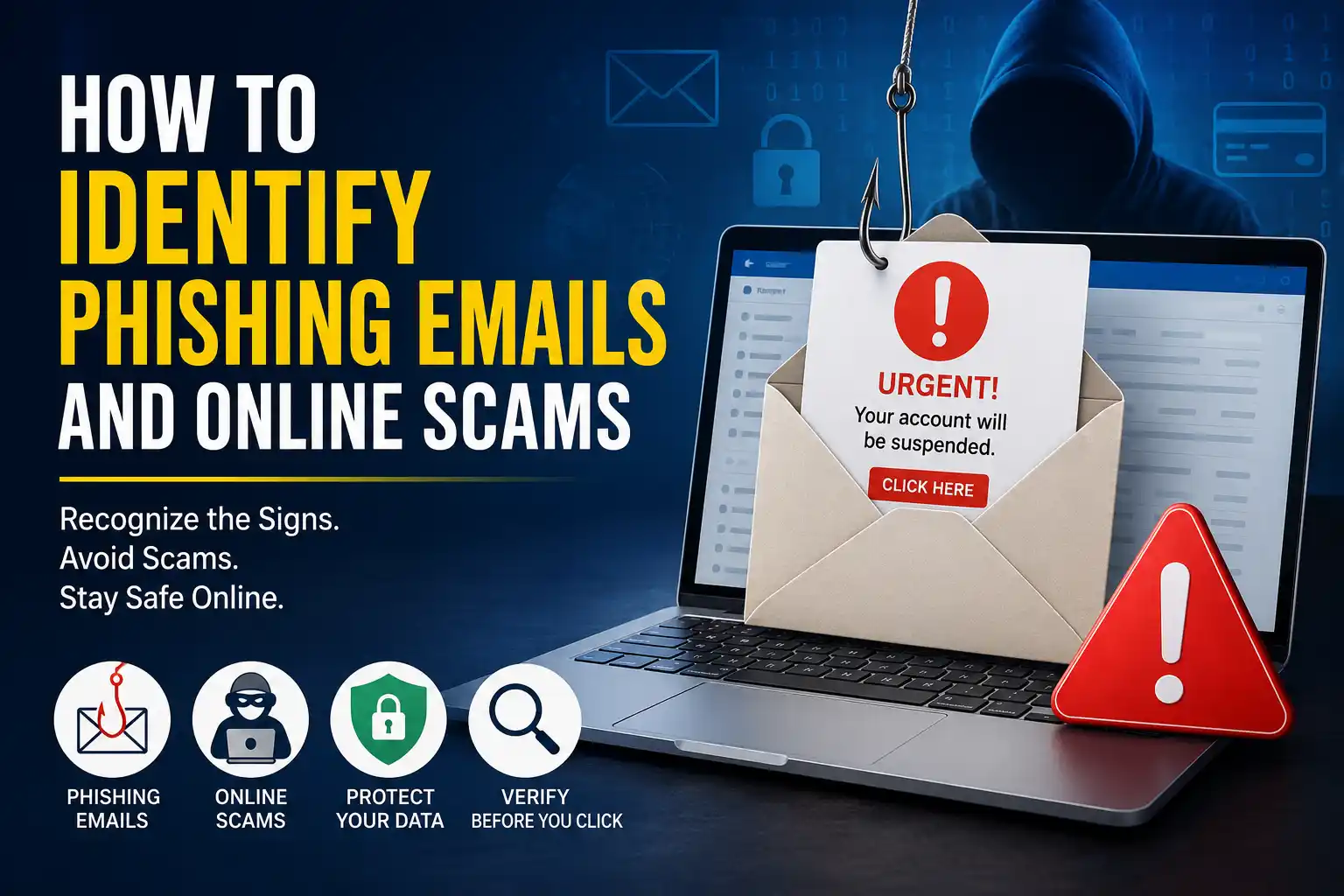
Phishing emails and online scams have become part of everyday digital life, targeting everyone from first-time internet users to experienced business owners. This guide explains how phishing and common online scams actually work, the warning signs that typically give them away, and the practical steps individuals and small businesses can take to avoid falling victim.
What Is Phishing?
Phishing is a type of cyberattack where someone impersonates a trusted person, brand, or organization to trick a target into revealing sensitive information — such as passwords, banking details, or personal data — or into installing malicious software. Phishing most commonly happens through email, but it can also occur through text messages, phone calls, social media, or fake websites.
What Are Online Scams?
Online scams are broader than phishing. While phishing generally focuses on tricking someone into giving up credentials or information, online scams can also involve directly manipulating a victim into sending money, purchasing fake goods, or making a payment under false pretenses. Many scams combine both elements — for example, a fake online store might steal payment details (phishing) while also taking money for a product that never arrives (scam).
Why Phishing Attacks Are Increasing
Phishing remains widespread and continues to evolve. Several factors have contributed to this:
- Low cost, high reach. Attackers can send enormous volumes of phishing emails at minimal cost, and even a small response rate can be profitable.
- Remote work and online life. More business communication and personal transactions now happen over email, chat, and mobile apps, giving attackers more digital touchpoints to exploit.
- Increasingly convincing tactics. Phishing messages have generally become more polished, often mimicking real branding, tone, and formatting.
- Data from previous breaches. Information leaked in past data breaches can help attackers craft messages that appear more personalized and credible.
Organizations such as CISA and the Federal Trade Commission (FTC) continue to publish updated phishing and scam guidance, reflecting how frequently these tactics evolve.
How Phishing Emails Work
A typical phishing email is designed to look like it comes from a legitimate source — a bank, a delivery service, a software provider, or even a coworker. It usually includes a call to action, such as clicking a link, downloading an attachment, or replying with sensitive information. The goal is to create enough urgency or trust that the recipient acts before thinking critically about the request.
Common Signs of Phishing Emails
Fake Sender Addresses
Attackers often spoof a display name to look legitimate while the actual email address is unrelated or slightly altered. Checking the full sender address, not just the display name, can reveal a mismatch.
Suspicious Links
Phishing emails frequently include links that appear legitimate at first glance but lead to a different destination. Hovering over a link (without clicking) on a desktop browser typically reveals the actual URL in a preview.
Fake Login Pages
Many phishing attacks direct victims to a fake login page designed to closely resemble a real one — for a bank, email provider, or workplace system. These pages are built specifically to capture whatever username and password is entered.
Spoofed Domains
A spoofed domain mimics a legitimate website address with small, easy-to-miss differences, such as swapped letters, extra characters, or a different domain extension. For example, a domain might replace a lowercase “l” with the number “1,” or use “.net” instead of the real organization’s “.com.”
Urgent or Threatening Language
Phrases like “Your account will be suspended,” “Immediate action required,” or “Unauthorized login detected” are designed to trigger a fast, emotional reaction rather than careful thought.
Grammar and Spelling Mistakes
While not always present in more sophisticated attacks, awkward phrasing, unusual formatting, or spelling errors can still be a sign of a fraudulent message, especially in mass phishing campaigns.
Unexpected Attachments
Unsolicited attachments — particularly file types like .exe, .zip, or macro-enabled documents — can carry malware. Unexpected attachments should always be treated with caution, even if they appear to come from a known sender.
Newer and Less Obvious Phishing Methods
QR Code Phishing (Quishing)
Quishing involves embedding a malicious link inside a QR code rather than a clickable link, often to bypass email security filters that scan for suspicious URLs. Scanning an unfamiliar QR code from an email, flyer, or public poster can lead to a fake login page just like a traditional phishing link.
SMS Phishing (Smishing)
Smishing uses text messages, often claiming to be from a delivery service, bank, or government agency, to prompt a click on a malicious link or a reply with personal information.
Voice Phishing (Vishing)
Vishing takes place over phone calls, where an attacker impersonates a bank representative, tech support agent, or government official to extract sensitive information or pressure a victim into making a payment.
Spear Phishing
Unlike broad, generic phishing campaigns, spear phishing is a highly targeted attack aimed at a specific individual or organization, often using researched details — a name, job title, or recent transaction — to appear more convincing.
Business Email Compromise (BEC)
BEC scams typically involve an attacker impersonating an executive, vendor, or trusted contact through a compromised or spoofed email account, often requesting wire transfers or changes to payment details. Because these messages can closely mimic real communication patterns, BEC scams can be particularly costly for businesses.
Social Engineering Tactics Behind Scams
Most phishing and online scams rely on social engineering — manipulating human psychology rather than exploiting a technical flaw. Common tactics include creating a false sense of urgency, impersonating authority figures, offering something that seems too good to be true, or building a false sense of trust over time before making a request.
Common Types of Online Scams
Fake Online Shopping Websites
These sites often mimic real retailers or offer heavily discounted products, collecting payment information without ever shipping genuine goods.
Tech Support Scams
Scammers pose as technical support representatives, often through a fake pop-up warning claiming a device is infected, then request remote access or payment to “fix” a nonexistent problem.
Investment and Cryptocurrency Scams
These scams typically promise unusually high, guaranteed returns and often pressure victims to invest quickly, sometimes using fake trading platforms or fabricated account balances to appear legitimate.
Lottery and Prize Scams
Victims are told they’ve won a prize or lottery they never entered and are asked to pay a “processing fee” or provide personal details to claim it.
Charity Scams
Particularly common after major news events or disasters, these scams impersonate real or fabricated charities to collect donations that never reach any genuine cause.
Romance Scams
Scammers build a fake romantic relationship online, often over weeks or months, before requesting money for a fabricated emergency, travel expense, or investment opportunity.
Job Offer Scams
Fake job offers may request personal information, upfront payment for “training” or equipment, or involve depositing a fraudulent check and wiring back a portion of the funds.
Fake Invoice Scams
Businesses may receive invoices for products or services never ordered, hoping the request is paid without close review, particularly in busy accounting departments.
Banking and Payment Scams
These scams often impersonate a bank, asking victims to “verify” account details, confirm a suspicious transaction, or unlock a frozen account, when in reality no such issue exists.
Social Media Scams
Common examples include fake giveaways, cloned profiles impersonating someone the victim knows, and deceptive ads leading to fraudulent shopping sites or phishing pages.
AI-Generated Phishing Emails and Deepfake Scams
Security researchers and organizations, including CISA and major technology providers, have publicly noted that generative AI tools can help attackers write more convincing, error-free phishing emails and, in some cases, create synthetic audio or video content — often referred to as deepfakes — to impersonate real people. While this is a developing area, the core defense remains largely unchanged: verifying unusual or urgent requests through a separate, trusted communication channel remains a sound practice regardless of how convincing a message, call, or video appears.
How to Verify Suspicious Emails
- Check the sender’s full email address, not just the display name.
- Contact the organization directly using a phone number or website you already know to be genuine, rather than any contact details provided in the suspicious message.
- Look for inconsistencies in tone, formatting, or requests that seem unusual for that sender.
- Be cautious of any message creating urgency around money, passwords, or personal information.
How to Check URLs Safely
- Hover over links on a desktop browser to preview the actual destination before clicking.
- Look closely at the domain name for subtle misspellings or extra characters.
- Check that the website uses “https://” and a valid security certificate. HTTPS encrypts the connection and confirms a valid certificate, but it does not prove that a website is trustworthy or legitimate.
- When in doubt, type the organization’s website address directly into the browser instead of clicking a provided link.
Safe Browsing Habits
Maintaining safe browsing habits significantly reduces exposure to phishing and scams. This includes keeping browsers and devices updated, avoiding downloads from unfamiliar sources, being cautious of pop-ups claiming urgent action is needed, and using reputable security software.
Password Security
Weak or reused passwords make it easier for attackers to access accounts, especially after a data breach elsewhere. Using long, unique passwords for every account reduces this risk considerably.
Multi-Factor Authentication (MFA)
MFA requires a second form of verification, such as a code from an authenticator app, in addition to a password. Microsoft and CISA both recommend MFA as one of the most effective low-cost ways to reduce unauthorized account access, even when a password has been compromised.
Password Managers
A password manager generates and securely stores strong, unique passwords for every account, removing the need to reuse or memorize them, which directly reduces vulnerability to credential-based attacks.
Safe Online Payment Practices
When shopping or paying online, using a credit card rather than a debit card can offer additional fraud protection in many cases. Sticking to well-established, reputable payment platforms and avoiding direct bank transfers to unfamiliar sellers can also reduce exposure to fraud.
What to Do If You Clicked a Phishing Link
- Avoid entering any information if a suspicious page loads.
- Disconnect the device from the internet if malware installation is suspected.
- Run a full antivirus or endpoint protection scan.
- Change passwords for any potentially affected accounts, ideally from a separate, trusted device.
- Monitor accounts for unusual activity in the following days and weeks.
What to Do If You Entered Your Password on a Fake Website
- Change the compromised password immediately, along with any other account using the same password.
- Enable multi-factor authentication if it isn’t already active.
- Check account activity and login history for anything unfamiliar.
- Notify your bank or the affected service provider if financial or sensitive personal information was involved.
Common Mistakes That Make People Fall for Phishing Scams
- Reacting too quickly. Urgent language is designed to short-circuit careful thinking.
- Trusting display names alone. A familiar-looking sender name doesn’t confirm a legitimate email address.
- Assuming polished design means legitimacy. Modern phishing emails can closely replicate real branding.
- Reusing passwords across accounts. This turns a single breach into a much wider problem.
- Skipping MFA. Relying on a password alone leaves accounts more exposed.
- Not verifying unusual requests. Failing to confirm a request through a separate channel, especially for payments or password resets.
- Ignoring browser warnings. Security warnings about unsafe sites are often dismissed too quickly.
How Businesses Can Reduce Phishing Risks
Employee Training
Ongoing training that includes real-world examples and simulated phishing tests can meaningfully improve an organization’s ability to recognize and report suspicious messages.
Clear Reporting Procedures
Employees should have a simple, well-known way to report suspicious emails without fear of blame, encouraging faster identification of active phishing attempts.
Email Security Tools
Spam filters, domain authentication protocols, and email security gateways can help reduce the volume of phishing emails that reach employee inboxes in the first place. Organizations may also consider implementing email authentication standards such as SPF, DKIM, and DMARC to help reduce email spoofing.
Verification Procedures for Payments
Requiring a secondary verification step — such as a phone call to a known contact — before processing wire transfers or vendor payment changes can help prevent BEC-related losses.
Regular Software and System Updates
Keeping systems and software updated reduces the chances that a successful phishing click leads to a deeper compromise through an unpatched vulnerability.
Best Practices to Avoid Online Scams
- Verify unfamiliar requests through a separate, trusted communication channel.
- Avoid clicking links or downloading attachments from unexpected messages.
- Research unfamiliar companies, sellers, or investment opportunities before engaging.
- Never share one-time passcodes, even with someone claiming to be from a legitimate organization.
- Be skeptical of offers that seem unusually generous or urgent.
- Keep personal and financial information private on social media.
Phishing Prevention Checklist
- Verify sender addresses, not just display names
- Hover over links before clicking to check the real destination
- Avoid downloading unexpected attachments
- Enable multi-factor authentication on all important accounts
- Use a password manager and unique passwords for every account
- Confirm unusual payment or password requests through a separate channel
- Keep devices, browsers, and software updated
- Report suspicious emails through proper internal or provider channels
- Educate employees and family members on common phishing tactics
- Use reputable antivirus and email security tools
Frequently Asked Questions
What is the easiest way to spot a phishing email?
Checking the sender’s full email address and being cautious of urgent language are two of the simplest and most reliable first steps.
Can phishing happen outside of email?
Yes — phishing can also occur through text messages (smishing), phone calls (vishing), QR codes (quishing), and social media messages.
Is it safe to click “unsubscribe” on a suspicious email?
Generally, it’s safer to delete or report an unfamiliar or suspicious email rather than clicking any link within it, including “unsubscribe,” since this can sometimes confirm an active email address to the sender.
How can I tell if a website is fake?
Look closely at the domain name for subtle misspellings, check for “https://” and a valid certificate, and be cautious of unusually steep discounts or requests for unnecessary personal information.
What should I do if I already gave my password to a phishing site?
Change the password immediately, update it on any other account using the same password, and enable multi-factor authentication if it isn’t already active.
Are phishing emails always poorly written?
No — while spelling and grammar mistakes can be a warning sign, more sophisticated phishing emails, including those potentially assisted by AI tools, can be well-written and closely mimic legitimate communication.
Can multi-factor authentication fully prevent phishing?
MFA significantly reduces the risk of unauthorized access even if a password is compromised, though it isn’t an absolute guarantee, which is why combining it with cautious browsing habits and verification steps remains important.
How can small businesses protect employees from phishing?
Ongoing training, clear reporting procedures, email security tools, and verification steps for payment requests can all meaningfully reduce a small business’s exposure to phishing.
Final Thoughts
Phishing emails and online scams continue to evolve, but the tactics behind them — urgency, impersonation, and exploiting trust — remain largely the same. Learning to recognize common warning signs, verifying unexpected requests through trusted channels, and following good cybersecurity practices such as using multi-factor authentication (MFA), strong unique passwords, and password managers can significantly reduce your risk. Staying alert, thinking before you click, and taking a few extra moments to verify suspicious messages remain some of the most effective, low-cost ways to protect yourself, your personal information, and your business from phishing and online scams.