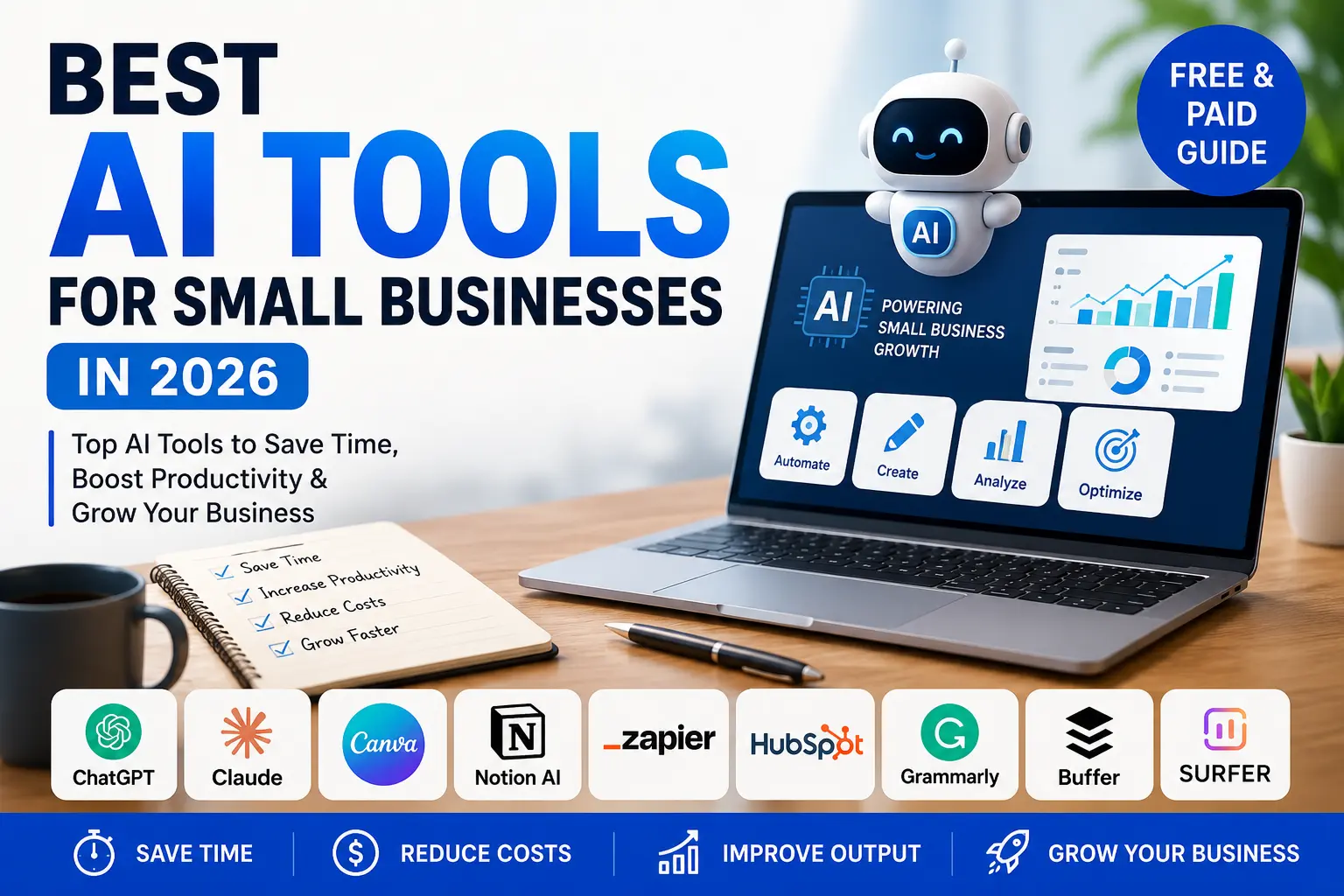
Best AI Tools for Small Businesses in 2026 – Complete Practical Guide
This article is reviewed periodically to maintain accuracy.
📋 Editorial Note: This is an independent, research-based guide. No tool paid to be featured. Pricing and features change frequently in the AI industry — always confirm current pricing and plans directly on each tool’s official website before subscribing.
Running a small business in 2026 without AI tools is not impossible — but you are almost certainly working harder than you need to. The best AI tools for small businesses now handle the repetitive, time-draining work that used to eat up your entire day: writing emails, creating social posts, answering customer questions, designing graphics, and organising your operations.
Here is the good news for small business owners in Bangladesh and beyond: most of these tools require no technical background, no IT team, and no big budget. Many have genuinely useful free tiers, and the paid plans typically start around $15–$20 per month — paying for themselves quickly in saved time.
This guide covers the AI tools that actually deliver real results, what each one is best for, honest pricing, and how to build a simple AI “stack” that works for your business — without wasting money on tools you will never use.
Quick Comparison: Best AI Tools for Small Businesses in 2026
|
Tool |
Best For |
Free Tier? |
Paid Plan (Approx.) |
|---|---|---|---|
|
ChatGPT |
General writing, research, ideas |
✅ Yes |
From ~$20/month |
|
Claude |
Long-form writing, analysis, documents |
✅ Yes |
From ~$20/month |
|
Canva |
Graphics, social media, branding |
✅ Yes |
From ~$13/month |
|
Jasper |
High-volume marketing copy |
❌ Trial only |
From ~$39/month |
|
Notion AI |
Notes, docs, project organisation |
✅ Yes |
Varies by plan / add-on |
|
Zapier |
Workflow automation (no code) |
✅ Yes |
From ~$20/month |
|
HubSpot (Breeze AI) |
CRM, sales, lead management |
✅ Free CRM |
Paid from ~$15/month |
|
Grammarly |
Writing quality, brand voice |
✅ Yes |
From ~$12/month (annual) |
|
Buffer |
Social media scheduling |
✅ Yes |
From ~$5/month |
|
Surfer SEO |
Content SEO optimisation |
❌ Trial only |
From ~$49/month |
⚠️ Pricing is approximate and changes frequently. Many tools offer regional pricing and annual discounts. Always check the official website for current plans before subscribing.
Why Small Businesses Need AI Tools in 2026
The gap between businesses using AI and those that aren’t has become measurable — in time saved, costs reduced, and output produced. For a small team, AI acts as a force multiplier: it lets a three-person business produce work that used to require a much larger team.
Here is why AI matters specifically for small businesses:
- ⏱️ Saves time on repetitive tasks — emails, content, summaries, data entry
- 💰 Reduces costs — less need to hire for every administrative function
- 📈 Improves output — more content, faster responses, better customer reach
- 🎯 Levels the playing field — small teams can compete with much larger ones
- 🌍 Accessible anywhere — works just as well for a business in Dhaka as in New York
For small businesses in Bangladesh specifically, AI tools open up capabilities — professional design, fluent English copywriting, automated customer responses — that previously required hiring specialists. That is a genuine competitive advantage.
Best AI Tools for Small Businesses — Detailed Breakdown
1. ChatGPT – Best All-Round AI Assistant
Best for: General writing, research, brainstorming, customer support scripts Free tier: Yes | Paid: From approximately $20/month
ChatGPT is the Swiss Army knife of AI tools for small businesses — and it is usually the first tool any business should set up. It drafts emails, brainstorms ideas, summarises long documents, writes social posts, and answers questions about almost anything.
What makes it genuinely useful is not that it gives perfect answers — it is that it gives you a fast starting point. Writer’s block disappears. Research that used to take an hour takes five minutes.
What you can use it for:
- Writing and replying to business emails
- Creating social media posts and captions
- Drafting blog posts and product descriptions
- Summarising long documents or customer feedback
- Translating content between Bangla and English
💡 Real talk: ChatGPT is generic until you teach it about your business. Set up custom instructions with your company details, tone, and target audience first — the output improves dramatically once it has context.
2. Claude – Best for Long-Form Writing & Document Work
Best for: Long-form content, detailed analysis, working with documents Free tier: Yes | Paid: From approximately $20/month
Claude is widely used alongside ChatGPT as a leading general-purpose AI assistant. It is particularly well-regarded for long-form writing, careful analysis, and working with longer documents — making it a strong choice for businesses producing detailed content, reports, or structured material.
What you can use it for:
- Writing long-form articles, guides, and reports
- Analysing and summarising lengthy documents
- Drafting detailed proposals and business plans
- Editing and improving existing content
- Structured, multi-step writing tasks
💡 Real talk: Many small businesses use both ChatGPT and Claude — switching between them depending on the task. There is no rule that says you must pick only one. The free tiers let you test which one fits your workflow better.
3. Canva – Best for Design & Social Media Graphics
Best for: Social media graphics, branding, presentations, marketing visuals Free tier: Yes | Paid: From approximately $13/month
Canva turned graphic design from a specialist skill into something any business owner can do. Its Magic Studio AI features let you generate social media graphics, logos, presentations, flyers, and even short videos from simple text prompts — no design background required.
What you can use it for:
- Social media posts for Facebook, Instagram, LinkedIn
- Business logos and brand kits
- Presentations and pitch decks
- Flyers, banners, and marketing materials
- Product photos and AI-generated images
💡 Real talk: For small businesses in Bangladesh that previously paid a designer for every Facebook post, Canva alone can save significant money. The free tier covers most basic needs — upgrade to Pro when you need brand kits and premium templates.
4. Jasper – Best for High-Volume Marketing Content
Best for: Marketing copy, blog posts, ad copy at scale Free tier: Trial only | Paid: From approximately $49/month (Creator plan, subject to change)
Jasper is built specifically for marketing content. You train it on your brand voice, feed it information about your products, and it generates first drafts of blog posts, ad copy, social captions, and email campaigns — all focused on your business.
What you can use it for:
- High-volume blog content for SEO
- Ad copy for Facebook and Google
- Email marketing campaigns
- Product descriptions at scale
- Brand-consistent marketing content
💡 Real talk: Jasper makes the most sense if you are producing serious volumes of marketing content every week. For occasional content needs, ChatGPT or Claude will likely do the job at a lower cost. Like all AI writing, the output needs human editing.
5. Notion AI – Best for Organisation & Internal Documents
Best for: Notes, project tracking, meeting summaries, team wikis Free tier: Yes | Paid: Pricing varies by plan and may be bundled or available as an add-on
Notion is a knowledge management and productivity tool, and its AI layer is built into every page. It can summarise meeting notes, turn bullet points into documents, extract action items, and answer questions about anything in your workspace.
What you can use it for:
- Organising projects and tasks
- Summarising meeting notes into action items
- Creating SOPs (standard operating procedures)
- Building a team wiki or knowledge base
- Managing a content calendar
💡 Real talk: Paste in a meeting transcript, highlight it, and ask Notion AI to extract every action item with owners and deadlines. For small teams that lose track of who is doing what, this single feature is worth the subscription.
6. Zapier – Best for Automation Without Code
Best for: Connecting your apps and automating repetitive workflows Free tier: Yes | Paid: From around $20/month (Starter plan), with lower effective pricing on annual billing
Zapier connects thousands of apps and automates the tasks that move between them — without you writing a single line of code. It now uses AI to suggest automations based on how you work.
What you can use it for:
- Automatically saving email attachments to cloud storage
- Capturing leads from forms into your CRM or spreadsheet
- Sending automated follow-up emails
- Posting to social media on a schedule
- Connecting your e-commerce store to your accounting tool
💡 Real talk: Zapier becomes powerful once your other tools are in place. Start simple — automate one annoying repetitive task, see the time savings, then build from there. Even basic automations add up quickly.
7. HubSpot (Breeze AI) – Best for CRM, Sales & Leads
Best for: Customer relationship management, sales pipeline, lead tracking Free tier: Free CRM available | Paid: Paid plans start from around $15/month depending on package and contacts
HubSpot brings marketing, sales, and customer service into one platform, with AI features bundled under its Breeze brand. These include content assistants, AI lead scoring, and deal forecasting built directly into the CRM.
What you can use it for:
- Tracking leads and customers in one place
- Predicting which leads are most likely to convert
- Automating sales follow-ups
- Managing your sales pipeline
- Drafting personalised sales emails
💡 Real talk: For a small business managing under 1,000 contacts, HubSpot’s free CRM with AI features is genuinely one of the most valuable free tools available. You only move to paid plans as you grow — a gradual, fair upgrade path.
8. Grammarly – Best for Writing Quality & Brand Voice
Best for: Error-free writing, consistent brand tone across the team Free tier: Yes | Paid: From around $12/month (annual billing); monthly billing is significantly higher
Grammarly has expanded well beyond spell-check into full AI writing assistance. Its generative features let you draft emails, respond to messages, and create documents from bullet points directly inside Gmail, Outlook, and almost any browser-based tool.
What you can use it for:
- Catching spelling and grammar errors in real time
- Maintaining a consistent, professional tone
- Drafting and rewriting emails inside your inbox
- Enforcing brand voice across your whole team (Grammarly Pro and Business plans)
- Improving clarity in proposals and documents
💡 Real talk: For businesses where English is a second language — common across Bangladesh — Grammarly is especially valuable. It catches the small errors that affect how professional your business looks to international clients.
9. Buffer – Best for Social Media Scheduling
Best for: Scheduling and managing social media across platforms Free tier: Yes | Paid: From around $5/month (Essentials plan)
Buffer is one of the simplest and most affordable social media scheduling tools for small businesses, and its AI Assistant adds useful automation while keeping the workflow easy to manage. One of its most practical features is helping users repurpose existing blog content into platform-specific captions for social media — making it easier to maintain a consistent presence across platforms like Instagram, LinkedIn, X, and Facebook.
What you can use it for:
- Scheduling posts across multiple social platforms
- Repurposing one piece of content into platform-specific captions
- Maintaining a consistent posting schedule
- Managing multiple social accounts from one dashboard
💡 Real talk: For solopreneurs and small teams who need a multi-channel social presence but cannot afford a dedicated social media manager, Buffer offers exceptional value — and its paid plans are among the most affordable on this list.
10. Surfer SEO – Best for Content SEO Optimisation
Best for: On-page SEO, content scoring, keyword optimisation Free tier: 7-day free trial only (no permanent free plan) | Paid: From around $49/month (Discovery plan)
For small businesses that rely on organic search traffic, Surfer SEO is among the highest-ROI tools available. Its content editor scores your writing in real time against the top-ranking pages for your target keyword — helping ensure your content meets the depth and structure that search engines reward.
What you can use it for:
- Optimising blog posts for search rankings
- Keyword research and content planning
- Scoring content against top-ranking competitors
- Auditing existing content for SEO improvements
💡 Real talk: Surfer SEO is a premium tool aimed at businesses serious about content marketing and SEO. If organic search traffic is central to your growth, it pays for itself. If you only publish occasionally, hold off until SEO becomes a real priority.
How to Build Your AI Tool “Stack” (Without Overspending)
One of the most common mistakes small businesses make is signing up for too many tools at once. Many small businesses now use multiple AI tools across writing, design, automation, and operations — but the most effective teams usually build their AI stack gradually, adding tools only when there is a clear business need.
Here is a sensible approach:
🎯 Start with One Core Assistant
Begin with ChatGPT or Claude. This single tool covers writing, research, and brainstorming — and will handle the majority of your day-to-day AI needs.
🎨 Add a Design Tool
Add Canva for all your visual needs — social posts, logos, presentations. The free tier alone covers a lot.
📋 Add Organisation
Bring in Notion to organise projects, notes, and your team’s knowledge in one place.
🔗 Add Automation Last
Once your tools are in place, add Zapier to connect them and automate the repetitive tasks between them.
💡 The golden rule: Pick two or three tools, get real results, then add more. Tool overload is real — and paying for software you barely use is the fastest way to waste money.
Common Mistakes to Avoid with AI Tools
Even the best tools fail if used poorly. Here are the mistakes that trip up most small businesses:
- ❌ Trying to use everything at once — start small, master a few tools first
- ❌ Not customising default settings — always set up custom instructions and brand context
- ❌ Treating AI as a one-click solution — treat output as a first draft, then review and edit
- ❌ Ignoring integrations — connected tools multiply the time savings
- ❌ Not training your team — one person using AI is good; a whole team is far better
- ❌ Buying without a clear use case — identify your biggest pain point first, then pick the tool
A Note on Data Privacy
Before committing to any AI tool, ask two important questions: What happens to my data, and can I leave if this does not work?
Some AI tools train their models on the data you put in — including your emails and customer conversations. Always check the tool’s data usage policy and export options before feeding in sensitive business or customer information. This is especially important when handling customer data under privacy expectations.
Frequently Asked Questions (FAQs)
❓ What are the best free AI tools for small businesses?
Several tools on this list have genuinely useful free tiers. ChatGPT and Claude both offer free plans that cover most writing and research tasks. Canva’s free plan includes basic AI design features. Notion’s free plan works well for solo users. HubSpot offers a free CRM. Free tiers are excellent for evaluating a tool — though most growing businesses eventually hit limits and benefit from upgrading.
❓ Do I need technical skills to use AI tools for my business?
No. Every tool on this list was built for non-technical users. Setup for most takes under 30 minutes. The bigger requirement is not technical skill — it is clarity about what problem you are trying to solve. Start with your biggest pain point and choose the tool that addresses it.
❓ How much should a small business budget for AI tools?
You can start for free. As you grow, paid plans for the core tools typically start around $10–$20 per month each. A practical starting budget for a small business is one or two paid tools — most owners find these pay for themselves quickly through saved time. Avoid subscribing to many tools at once.
❓ Are AI tools useful for small businesses in Bangladesh specifically?
Yes — arguably even more so. AI tools give small businesses in Bangladesh access to capabilities that previously required hiring specialists: professional graphic design (Canva), fluent English copywriting (ChatGPT, Claude, Grammarly), and automated customer engagement. Most tools work globally, and several offer regional pricing. They are a genuine competitive advantage for lean teams.
❓ Can AI tools replace my employees?
No. AI tools automate specific tasks and workflows — not entire roles. They handle repetitive work like drafting, summarising, and data entry, freeing your team to focus on strategy, creativity, relationships, and complex decisions that require human judgment. The best results come from people and AI working together, not one replacing the other.
❓ Which AI tool should I start with first?
For most small businesses, start with ChatGPT or Claude as your core assistant — it covers the widest range of everyday tasks. Master it for 30 days, get real results, then add a design tool like Canva and an organisation tool like Notion. Build your stack gradually based on your actual needs.
Find More Business Tools & Resources on Info Ghor
Looking for more guides on business tools, digital marketing, and growth resources for Bangladeshi businesses?
📋 Browse Business Resources on Info Ghor →
Info Ghor maintains practical, regularly updated guides to help small businesses across Bangladesh make informed decisions.
Sources Used
- Industry reports and AI tool reviews (2026)
- Official tool websites and published pricing
- Small business technology adoption surveys (2026)
- Public market data and business community references
⚠️ All information was reviewed at the time of publication. AI tools, features, and pricing change very frequently. Always confirm current pricing and capabilities directly on each tool’s official website before subscribing.
Final Thoughts
The best AI tools for small businesses in 2026 are no longer luxury add-ons reserved for large companies with big budgets. They are affordable, accessible, and genuinely transformative for lean teams trying to do more with less.
The key is not to chase every shiny new tool. Start with one core assistant like ChatGPT or Claude. Add a design tool like Canva. Bring in organisation with Notion. Connect everything with Zapier once you are ready. Master a few tools properly, measure the results, and scale up thoughtfully.
For small businesses in Bangladesh and around the world, the message is the same: you do not need a technical background or a large budget to benefit from AI. You just need to start — with one tool, solving one real problem, this week.
The businesses that adopt AI thoughtfully today will have a measurable edge tomorrow. The best time to start is now.
Related Searches
- Best free AI tools for small businesses
- AI tools for digital marketing in Bangladesh
- ChatGPT vs Claude for business
- Best AI tools for content creation
- AI automation tools for small business
Found this guide helpful? Share it with a business owner who is ready to work smarter, not harder.