
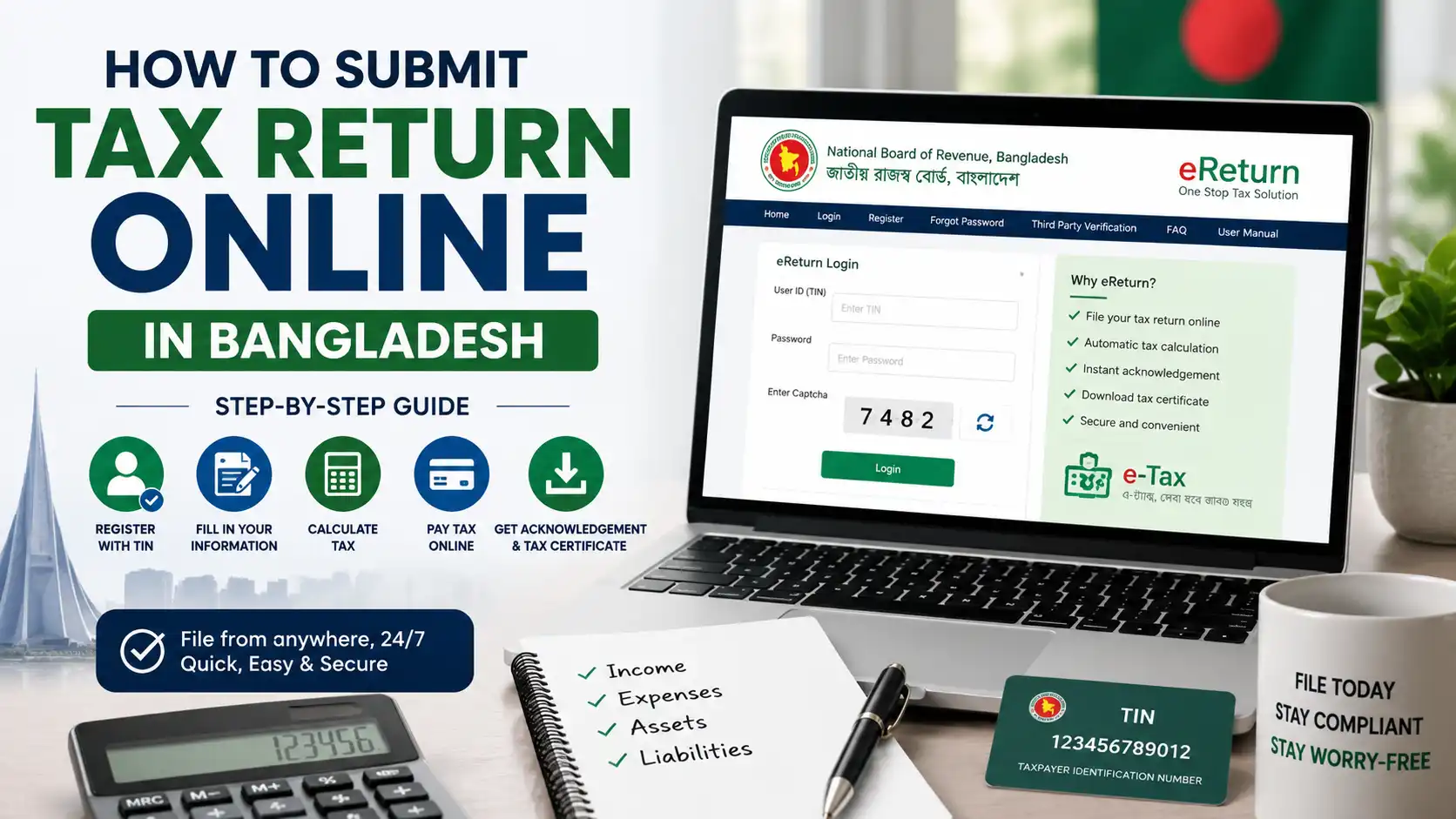
How to Submit Tax Return Online in Bangladesh (Step-by-Step Guide)
Filing an income tax return is one of those responsibilities that many people put off, often because it seems complicated. In reality, it is a basic civic and legal duty for those required to file, and it matters for practical reasons too. A filed return produces official proof of your tax compliance — commonly needed for loans, credit cards, land registration, business dealings, and many government services. It also keeps your financial record clean and helps you avoid penalties for non-compliance.
For many years, filing meant collecting forms, filling them by hand, and standing in a queue at a tax circle office. That has changed. The National Board of Revenue (NBR) now operates an online e-Return system that lets taxpayers prepare and submit their income tax returns from home, at any convenient hour, without visiting a tax office in person.
The benefits of the e-Return system are practical rather than theoretical. The system guides you step by step, calculates your tax automatically based on the information you enter, and generates your acknowledgement slip and tax certificate instantly after submission. For standard individual e-Returns, you typically do not upload supporting documents, but you must keep them for your records and for any future verification. You can also download or print your return, receipts, and certificates whenever you need them.
Who should consider filing online? Broadly, individual taxpayers who hold a Taxpayer Identification Number (TIN) and are required to file a return can use the system, and NBR has been actively encouraging voluntary online filing. For certain groups of employees — including those in particular tax circles, scheduled banks, mobile telecom operators, and some multinational companies — NBR has made online filing mandatory through specific orders; the exact list of categories is updated from time to time. Whether it applies to you depends on your circumstances and the current rules.
One important note before you begin: the e-Return system, its forms, requirements, and filing process are updated over time. This guide is based on publicly available NBR information and is intended for general educational purposes only. It is not legal, tax, or financial advice. Always verify the latest requirements through the official NBR e-Tax portal at etaxnbr.gov.bd before you submit anything.
What Is the NBR e-Return System?
The e-Return system is NBR’s official online platform for filing income tax returns in Bangladesh. It is accessed through the government portal at etaxnbr.gov.bd, and it is also reachable via the “eReturn” link on NBR’s main website, nbr.gov.bd. In simple terms, it is the digital replacement for filling out and submitting a paper return at your tax circle.
How it works
The system works much like guided tax software. After you register and sign in with your TIN and password, you move through a structured sequence of screens: assessment information, your sources of income, expenditure, assets and liabilities, and tax payment details. As you enter information, the system performs the calculations and prepares your return automatically.
A key point that surprises many first-time users is that for standard individual e-Returns, supporting documents are typically not uploaded. You simply enter accurate information in the relevant fields. Your supporting papers — salary certificates, bank statements, investment proofs — are generally not attached to the online return, but you must retain them for your records and for any future verification. Requirements may differ in specific cases.
Once you submit, the system completes the assessment automatically and instantly generates a system-generated acknowledgement slip along with your tax documents, which you can download or print at any time.
Basic eligibility
Broadly, to use the e-Return system you need:
- A valid TIN (a 12-digit Taxpayer Identification Number)
- A mobile number that is biometrically registered under your own National ID
- Accurate information about your income, expenses, assets, and liabilities
The requirement for a biometrically registered SIM is important and frequently trips people up. The mobile number must be registered in your own name against your own NID — not a family member’s or colleague’s. NBR has publicly cautioned that attempting to register with someone else’s mobile number can cause problems with your TIN.
Public information also indicates the system offers different return schemes depending on the taxpayer’s situation, including a regular e-Return for those with multiple income sources and a simplified single-page return for taxpayers who meet certain conditions. Which option applies to you depends on the current rules and your circumstances, so check what the system offers for your profile.
Help and support
You are not expected to work it out alone. NBR provides an official e-Return user manual that can be downloaded from within the system, and it is genuinely worth reading before you start rather than after you get stuck. NBR has also publicly referenced a call centre on 09643 717171 for e-Return queries during office hours, and an eTax Service option on the portal through which problems can be reported in writing. NBR has additionally published video tutorials through its official website and social media channels.
Two practical habits make the process easier. First, file on a laptop or desktop rather than a phone, since public guidance notes that some features may not work correctly on mobile devices. Second, use the system’s save option as you move through each section, so that a dropped connection does not cost you your work.
Online filing versus offline filing
Offline (paper) filing means completing the printed return form and submitting it physically at your assigned tax circle office, along with supporting documents, and receiving a manual acknowledgement.
Online filing through e-Return means completing everything digitally: the system calculates your tax, supporting documents are typically not uploaded for standard individual returns, submission is instant, and your acknowledgement and certificates are generated by the system and available for download at any time. It removes travel, queues, and much of the paperwork.
Both routes exist, but NBR has been steadily expanding online filing and making it mandatory for certain groups. Because these rules change, confirm what currently applies to you through the official portal.
Requirements Before Filing an Online Tax Return
Preparation is the single biggest factor in a smooth filing experience. Before you sit down to file, gather the information below. Note that exact requirements vary considerably depending on your profile — a salaried employee, a business owner, and a professional will each need different things.
Essential items:
- e-TIN — your 12-digit Taxpayer Identification Number, which you will use as your username to sign in.
- National ID (NID) — needed because registration is tied to your national identity.
- Mobile number — must be biometrically registered against your own NID. You can check whether a SIM is biometrically registered under your NID by dialling *16001#. If your number is not registered in your own name, you will need one that is.
Income-related documents (as applicable):
- Salary certificate — if you are a salaried employee, showing your salary breakdown and any deductions.
- Bank statements — for the relevant income year, covering your accounts.
- Investment documents — proof of investments that may qualify for tax rebate, such as savings instruments, insurance premiums, provident fund contributions, or other eligible investments.
- Tax deduction certificates — if tax was deducted at source (TDS) from your salary, interest, or other income, you will need the certificate confirming what was deducted.
- Advance tax payment records — if you paid any advance tax during the year.
- Income documents from other sources — such as house rent income, business or professional income, agricultural income, capital gains, or interest on securities, depending on what applies.
Asset and liability information:
- Details of your assets — such as land, property, vehicles, savings, financial investments, and cash.
- Details of your liabilities — such as loans or borrowings.
- Information about your family and personal expenditure for the year.
Only if relevant:
- If you hold shares, information relating to your share investments and any related accounts may be needed to complete the investment or asset sections. This applies only to taxpayers who actually have such holdings — it is not a general requirement for filing.
An important principle: in the e-Return system, your income must reconcile with your expenditure, assets, and liabilities. In other words, what you earned must logically account for what you spent, what you own, and what you owe. Many first-time filers get stuck at the final stage because these figures do not reconcile, so accuracy from the start saves considerable frustration.
A note on zero-tax returns: holding a TIN generally carries an obligation to file, and NBR has publicly issued guidance regarding the filing of zero-tax returns. In other words, having little or no taxable income does not automatically mean you have nothing to file — it may simply mean the return you file shows no tax payable. Confirm your own filing obligation against NBR’s current guidance rather than assuming.
Keep your records organised. Because supporting documents are typically not uploaded for standard individual e-Returns, the burden of proof sits with your own record-keeping. Keep the salary certificate, deduction certificates, bank statements, and investment proofs for each income year together — physically or as scanned copies — along with the acknowledgement slip the system generates. This habit takes minutes and can save considerable difficulty later if any figure in your return is ever queried.
Because document and information requirements differ by taxpayer and are updated over time, check the current guidance and the e-Return user manual available through the portal before filing.
How to Submit Tax Return Online in Bangladesh (Step-by-Step)
Below is the general flow of filing through the NBR e-Return system, based on publicly available NBR information. The portal is updated periodically, so treat this as an orientation rather than a screen-by-screen script, and follow the on-screen instructions and the official user manual as you go.
A practical tip before you start: public guidance notes that some features may not work properly on mobile devices, and that a laptop or desktop computer is recommended for full data entry and document generation. Set aside uninterrupted time, and keep your documents beside you.
Step 1: Create or sign in to the NBR e-Return account
Go to etaxnbr.gov.bd. If you are new, select the registration option. Enter your TIN, then enter your biometrically registered mobile number (public guidance notes entering it without the leading zero), complete the captcha, and click Verify. You will receive a One-Time Password (OTP) on that mobile number. Enter the OTP, set your password, and complete registration.
If you already have an account, simply sign in using your TIN, your password, and the captcha. If you have forgotten your password, you can reset it using your registered mobile number.
Step 2: Verify profile information
After signing in, you will reach your dashboard. Review the profile information the system displays and make sure your personal details are correct and up to date. Getting this right at the outset prevents errors carrying through the rest of the return.
Step 3: Choose the correct assessment year
Select Return Submission from the menu. The system will present the assessment information section, where you provide details such as the assessment year, the income year, your residency status, and — if applicable — any tax-exempt income and the relevant exempt category.
Choosing the correct assessment year is critical. The assessment year is not the same as the income year, and selecting the wrong one is one of the most common and most disruptive mistakes filers make.
Step 4: Enter income details
Next comes the Heads of Income section, where you select and complete the income sources that apply to you. Publicly documented heads of income include:
- Salaries
- Interest on securities
- Income from house property
- Agricultural income
- Income from business or profession
- Capital gains
- Income from other sources
Select only the heads that genuinely apply to you and enter the figures accurately from your supporting documents. Use the system’s save option as you progress so your work is not lost.
Step 5: Enter investment information
Enter details of investments that may qualify for tax rebate under the applicable rules — for example, eligible savings instruments, insurance premiums, provident fund contributions, or other qualifying investments. The system uses this information in calculating any rebate you are entitled to. Enter only what you can support with documentation.
Step 6: Provide asset and liability information
Complete the sections covering your expenditure, assets, and liabilities. This typically includes your personal and family expenses for the year, the assets you hold, and any loans or liabilities.
This is the stage where reconciliation matters most: your income should account for your expenditure and any change in assets or liabilities. If the system flags a difference, revisit your entries rather than forcing a figure — a mismatch usually means something has been missed or misclassified.
Step 7: Update tax payment information (if applicable)
In the tax and payment section, enter details of any tax already paid — such as tax deducted at source (TDS) and advance tax — with reference to your deduction certificates and payment records. The system will then calculate your remaining payable tax, or confirm that no further tax is due.
If you have a zero-tax or non-taxable situation but are still required to file, the system accommodates this; NBR has publicly issued guidance regarding zero-tax return filing.
Step 8: Review the return carefully
Before submitting, review everything. Check the assessment year, each income figure, your investment claims, your asset and liability entries, and your tax payment details against your documents. Once submitted, a return is not casually editable, so this review is your best protection against errors.
Step 9: Submit the return
When you are satisfied that everything is accurate, submit the return. On successful submission, the system displays a confirmation message and provides a Reference ID along with your acknowledgement. Public guidance notes that after online submission the assessment is completed automatically within the system.
Step 10: Download the acknowledgement and tax documents
From the Tax Record menu, you can download and print your documents — including the acknowledgement slip, your income tax certificate, and a copy of your submitted return. The system can also generate a verification link or slip that allows a third party to confirm that you filed your return, which is useful when proof of filing is requested.
Save digital copies and keep printed copies with your records. Your supporting documents must be retained safely as well, even though they are typically not uploaded for standard individual e-Returns.
How to Pay Tax Return Online in Bangladesh
If your return shows tax payable, the next question is naturally how to pay tax return online in Bangladesh. NBR has expanded digital payment options considerably in recent years, and payment is generally integrated with the return filing process.
The general payment process
Once the system calculates your payable tax, you settle the amount through the available government payment channels and record the payment details so that your return reflects it. Payment produces an official challan or receipt, which is the proof that your tax has been deposited to the government treasury.
e-Payment options
According to NBR’s public communications, taxpayers using the e-Return system can pay taxes through:
- Internet banking
- Card payment (debit or credit card)
- Mobile banking
NBR also operates an e-payment facility in partnership with Sonali Bank for income tax and other taxes. For card payments through that portal, public information notes that cards must be e-commerce enabled, and cardholders may need to contact their own bank to enable that facility before paying online.
In addition, NBR — working with the Finance Division — has introduced the a-Chalan system, which supports real-time deposit of taxes to the government treasury and is integrated with the government’s iBAS++ platform. NBR has also publicly referenced an a-Chalan help desk for related issues.
Bank payment options
Payment through scheduled banks remains part of the framework, and public information indicates that deposits can be made through bank channels, with the resulting challan serving as your payment record.
Payment confirmation
Whichever channel you use, obtain and preserve the confirmation — the challan or receipt — and make sure the payment information is correctly reflected in your return. NBR’s portal also references a challan verification facility. Never assume a payment has gone through without a confirmation record.
Verify the latest payment methods
Payment channels, participating banks, and procedures change over time as NBR updates its systems. Before paying, confirm the currently available and officially supported methods through etaxnbr.gov.bd or nbr.gov.bd. Use only official government portals and channels for tax payments.
How Can I File My Tax Return Online in Bangladesh?
If you are still wondering, “how can i file my tax return online in bangladesh?”, here is the short answer in plain language.
You file online through NBR’s e-Return system at etaxnbr.gov.bd. The process, in essence, is:
- Register once using your TIN and a mobile number that is biometrically registered under your own NID, verify with the OTP, and set a password.
- Sign in with your TIN and password.
- Click Return Submission and fill in your assessment information and heads of income.
- Follow the steps the system presents — income, investments, expenditure, assets and liabilities, and tax payment details — entering accurate figures from your documents.
- Review, then submit. The system calculates your tax for you.
- Download your acknowledgement slip and tax certificate from the Tax Record menu.
You do not need to be a tax expert or know how to calculate tax yourself — the system handles the calculation based on what you enter. What you do need is accurate information and your supporting documents at hand.
If you get stuck, NBR provides an official user manual through the system, a call centre (publicly referenced as 09643 717171, available during office hours), and an eTax Service option on the portal for reporting problems by email. If your tax affairs are complex — multiple businesses, foreign income, significant assets — consider engaging a qualified tax professional.
Common Mistakes to Avoid
Most filing problems come from a handful of avoidable errors. Watch out for these.
- Wrong assessment year. Selecting the wrong assessment year is a frequent and disruptive mistake. Remember that the assessment year differs from the income year, and confirm you have chosen correctly before proceeding.
- Incorrect income declaration. Entering figures from memory, omitting a source of income, or misreporting amounts creates problems later. Enter every applicable head of income accurately, using your documents rather than estimates.
- Missing tax payment information. Forgetting to record tax deducted at source or advance tax already paid means your return will not reflect what you have actually paid. Keep your deduction certificates and payment records at hand and enter them properly.
- Forgetting to review the return. Submitting without a careful final review is risky, since returns cannot simply be edited afterwards. Check every section against your documents before you submit.
- Using outdated information. Tax rules, forms, and portal features are updated over time. Relying on last year’s guidance, an old blog post, or a friend’s advice can lead you astray — always check the current official guidance.
- Waiting until the last day. Filing at the last minute leaves no room for technical issues, forgotten documents, or password problems, and the system is busiest then. File early and give yourself breathing room.
- Not reconciling income with assets and expenses. Because the system requires your figures to reconcile, rushing this section is a common cause of failed submissions. Work through it carefully.
Benefits of Filing Online
The e-Return system offers real, practical advantages over paper filing.
- Faster submission. You can complete and submit your return from home in one sitting, without travelling to a tax circle office or waiting in a queue.
- Acknowledgement receipt. On successful submission, the system immediately provides a reference ID and a system-generated acknowledgement slip — instant proof that you have filed.
- Downloadable documents. Your acknowledgement slip, income tax certificate, and a copy of your return are available from the Tax Record menu whenever you need them, and public information also references the ability to download previously filed e-Returns.
- Reduced paperwork. For standard individual e-Returns, supporting documents are typically not uploaded — you enter information, and the system builds the return, cutting the paperwork burden dramatically. You must still retain your documents for your records and for any future verification, and requirements may differ in specific cases.
- Automatic calculation. The system calculates your tax based on your entries, so you do not need to master the arithmetic of tax computation yourself.
- Convenience. You can file at a time that suits you rather than during office hours, and integrated digital payment options mean you can settle tax through internet banking, cards, or mobile banking.
- Verifiable proof. The system can generate a verification link or slip so that anyone who needs to confirm your filing can do so, which is helpful for loans, tenders, and similar requirements.
Frequently Asked Questions
How to submit tax return online in Bangladesh?
Go to the NBR e-Return portal at etaxnbr.gov.bd, register with your TIN and a biometrically registered mobile number (or sign in if you already have an account), then click Return Submission. Complete the assessment information, heads of income, investment details, expenditure, assets and liabilities, and tax payment sections, review everything carefully, and submit. The system calculates your tax and generates your acknowledgement slip and tax certificate for download.
How can I file my tax return online in Bangladesh?
You file through NBR’s official e-Return system rather than any third-party route. Register once using your TIN and your own biometrically registered mobile number, set a password, sign in, and follow the guided steps the portal presents. Enter accurate figures from your documents, review, and submit. You do not need to calculate the tax yourself or upload documents, but you must keep your supporting papers safely for your own records.
How to pay tax return online in Bangladesh?
If tax is payable, NBR’s public information indicates you can pay through internet banking, debit or credit card, or mobile banking, and NBR also operates an e-payment facility with Sonali Bank alongside the a-Chalan system for depositing taxes to the treasury. After paying, keep the challan or receipt and ensure the payment details are correctly reflected in your return. Because payment channels change, confirm the currently supported methods through the official NBR portal before paying.
Who can use the NBR e-Return system?
Generally, individual taxpayers with a valid TIN and a mobile number biometrically registered under their own National ID can use the system, and NBR has encouraged voluntary online filing. NBR has also made online filing mandatory for certain groups through official orders, including employees in specified tax circles, scheduled banks, mobile telecom operators, and some multinational companies. Because eligibility and mandatory categories are updated, verify what currently applies to you through NBR.
Can I edit my return after submission?
The e-Return system is not designed for casual editing after submission, since the assessment is completed automatically once you submit — which is exactly why careful review beforehand matters so much. If you discover a genuine error after filing, do not assume you can simply resubmit online. Contact NBR’s call centre or your tax circle to understand the correct procedure and any applicable conditions for your situation.
What documents do I need before filing?
You need your TIN, your NID, and a biometrically registered mobile number, plus the information behind your figures: salary certificate if employed, bank statements, investment proofs, tax deduction certificates for any TDS, advance tax records, and details of your assets, liabilities, and household expenditure. Requirements vary by taxpayer type and may differ in specific cases. Importantly, for standard individual e-Returns supporting documents are typically not uploaded — but you must retain them for your records and for any future verification.
Final Thoughts
Filing your income tax return online in Bangladesh is considerably simpler than most people expect. The e-Return system does the calculation for you, typically does not require document uploads for standard individual returns, and hands you your acknowledgement and certificates the moment you submit. For most individual taxpayers, the hardest part is not the technology — it is gathering accurate information and setting aside an unhurried hour to enter it properly.
A few closing reminders. First, verify the latest NBR requirements before you file: the portal, forms, thresholds, procedures, and rules are updated over time, and the official sources — etaxnbr.gov.bd and nbr.gov.bd, along with NBR’s current income tax guidance — are the only authoritative references. Second, keep your supporting documents safely, even though they are typically not uploaded for standard individual e-Returns; they remain your evidence for the figures you declared and may be needed for future verification. Third, file before the deadline rather than on the last day, when the system is busiest and there is no time to resolve problems. Confirm the current filing deadline directly with NBR, as dates and extensions are announced officially each year.
Finally, seek professional tax advice if your situation is complex. If you have multiple businesses, substantial assets, foreign income, or anything you are unsure about, a qualified tax professional is a sensible investment. This article is general educational information based on publicly available NBR sources — it is not legal, tax, or financial advice, and your own circumstances determine what applies to you.
Readers looking for more practical guides on taxation, finance, and government services can also explore Info Ghor.
Info Ghor is a Bangladesh-focused business directory that publishes practical business guides and informational articles.